Build a Mobile Workstation using Keyboard,mouse and OTG cable
How your smartphone, a basic keyboard, and an OTG cable can create a powerful learning workstation for typing, Excel, and code.
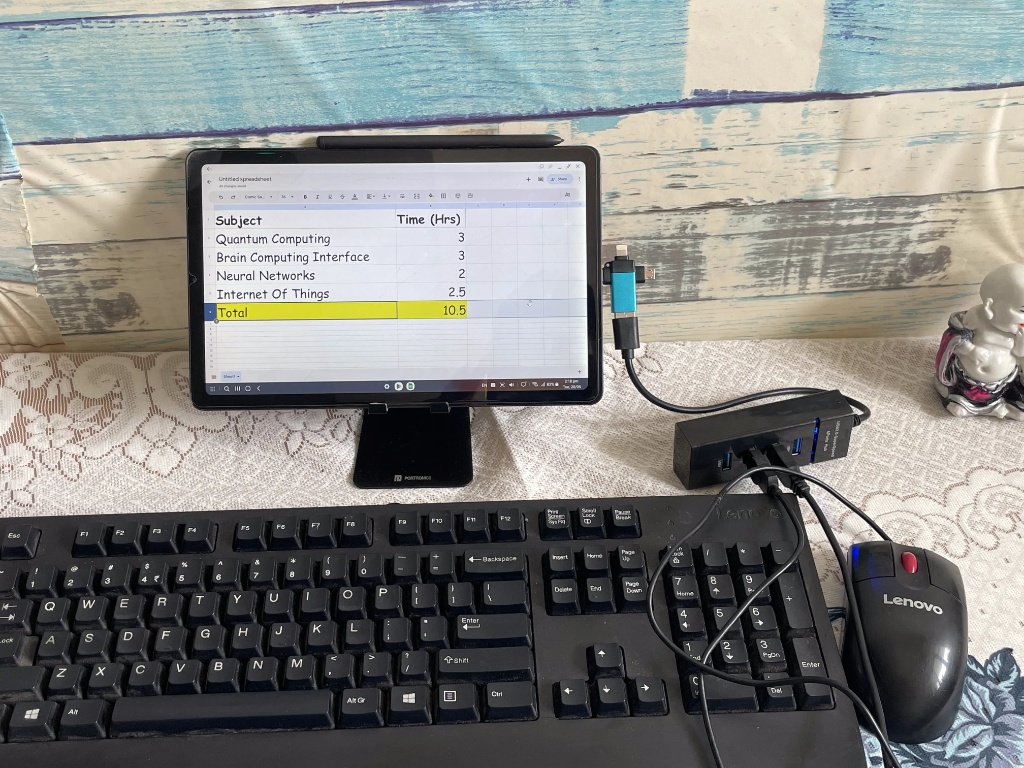
In today's digital world, having access to a computer often feels like a necessity, not a luxury. But what if you don't have a laptop or a desktop computer? Most of us use our phones daily, but few realize that with just a few affordable accessories, your smartphone can transform into a functional workstation.
What You'll Need (Total Cost: ~Around Rs. 700 to Rs.900)
You only need a few basic items, many of which you might already have. Prices are approximate.
-
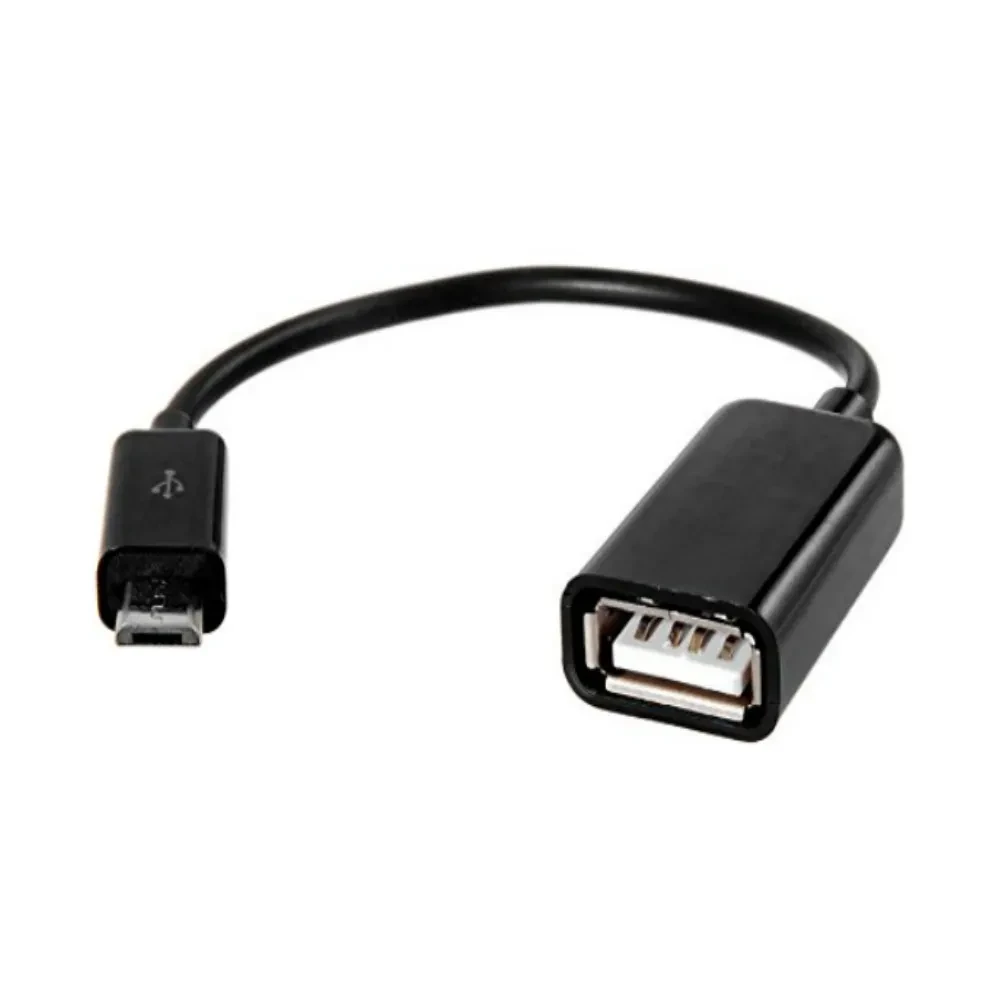
OTG Cable / Adapter (Approx Rs.100)
This small cable plugs into your phone's charging port (USB-C or Micro-USB) and gives you a standard USB-A port, allowing your phone to act as a "host" for other devices.
-
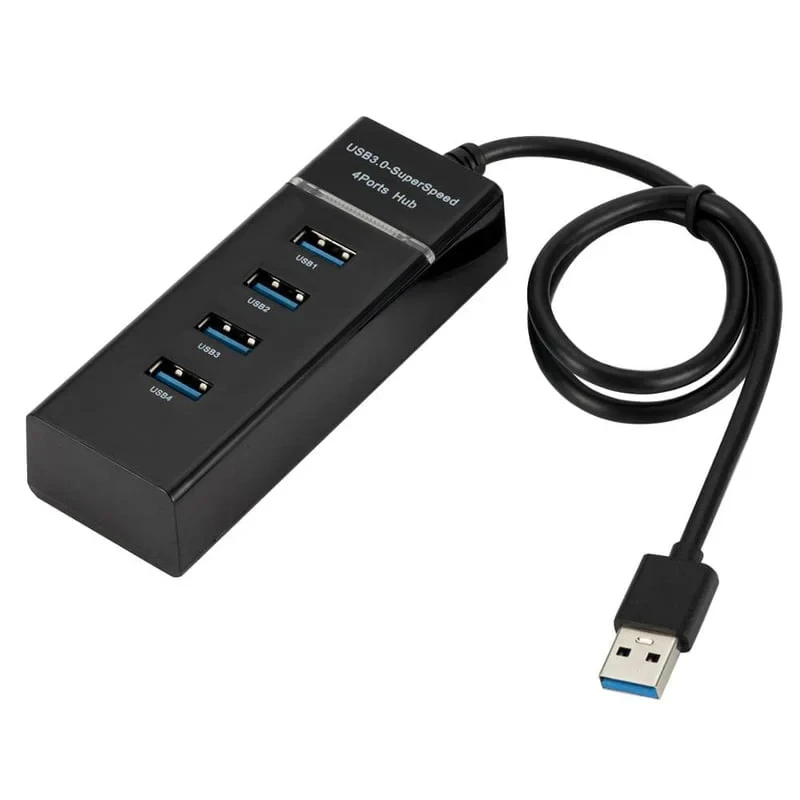
USB Hub (Approx Rs.150)
If you want to connect both a keyboard and mouse simultaneously, a simple USB hub will provide the extra ports you need. Plug this into the OTG adapter.
-
USB Keyboard & Mouse (Rs.700)
Any standard wired keyboard and mouse will work. You can often find these for extremely low prices online or second-hand.
How to Connect Everything
The process is incredibly simple:
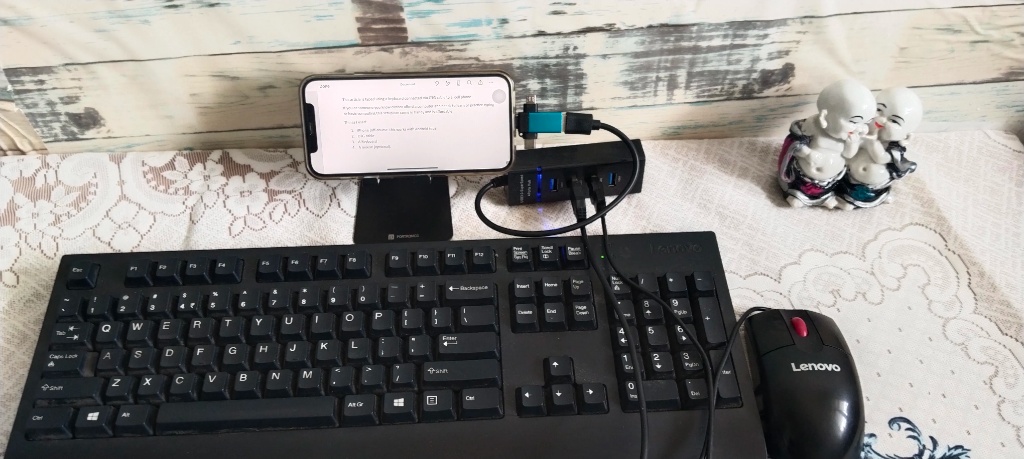
- Plug the **OTG adapter** into your smartphone's charging port.
- Plug the **USB hub** into the OTG adapter.
- Plug your **keyboard** and **mouse** into the USB hub.
Your phone will typically recognize the keyboard and mouse instantly. You'll see a mouse cursor appear on your screen!
What You Can Practice
With this setup, you can start learning essential digital skills right from your phone:
- Typing: Open a notes app (like Google Docs or a simple text editor) and start practicing. Learning touch-typing is a foundational skill for any computer-based work.
- Excel / Spreadsheets: Download Google Sheets or Microsoft Excel for mobile. You can practice cell navigation with arrow keys, learn formulas like
=SUM()or=AVERAGE(), and understand basic data entry. - Intro to Programming: Use a mobile code editor (like Replit's mobile app) to practice basic syntax for Python or JavaScript. Typing out variables, loops, and functions on a real keyboard makes the learning process much smoother.