IoT Ambulance: A Smart Emergency Dispatch App Idea
An innovative app concept to provide real-time emergency transport for the elderly, leveraging IoT, volunteer networks, and smart dispatching.
This page outlines an innovative app concept designed to provide real-time emergency medical transport for the elderly, leveraging the power of IoT, volunteer networks, and smart dispatching. Imagine a community-powered "Neighborhood Watch" for health, connecting those in urgent need with willing civilian drivers.
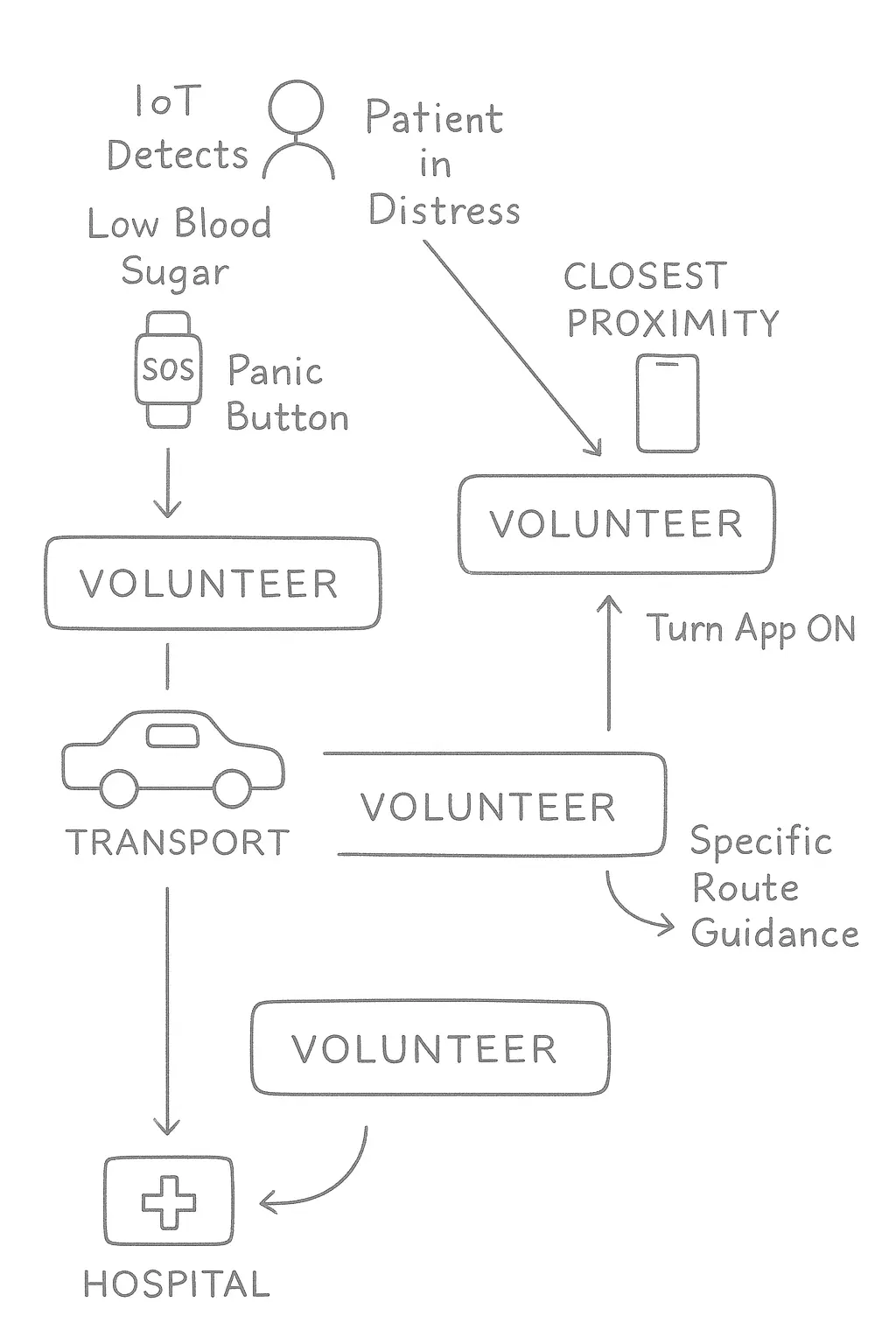
App Idea in Layman's Terms: A Neighborhood Watch for Health
Think of the app as a "Neighborhood Watch" for health. It connects people who need urgent medical transport with everyday heroes—your neighbors—who are willing to help. It's like having a community of on-call drivers who can act as a helping hand in a health crisis.
How It Works (Step-by-Step):
For the Patient: The Person in Need
- A Silent Guardian: The elderly person has a simple smart gadget, like a watch or a small device, that monitors their health. It's like a personal health bodyguard, always watching their vital signs.
- The Alarm Goes Off: If the gadget detects a sudden, dangerous change—like blood sugar dropping—it automatically sends a silent alarm to the app. The patient can also press a big, easy-to-find "SOS" button if they feel unwell.
- Help is on the Way: The app uses the phone's location to know exactly where the patient is. It also shares a few key details about the medical problem so the helper knows what's going on.
For the Volunteer: The Everyday Hero
- Signing Up to Help: A driver, say for instance a daily commuter on a particular route who registers as a volunteer, downloads the app and signs up to be a volunteer. The volunteer simply turns on the app when they are available to help.
- A Call for Help: When a patient nearby needs help, the app's "smart dispatcher" sends a notification to the volunteer driver's phone. It tells them someone needs help, how far away they are, and what the medical issue is.
- Accept and Drive: The Volunteer Driver taps "Accept." Instantly, the app gives them simple directions to the patient's location and then provides a route to the nearest hospital that can handle their specific issue.
- A Safe Ride: The volunteer picks up the patient and drives them to the right hospital. For that short time, their car works like a community-powered ambulance, providing a fast and comforting ride.
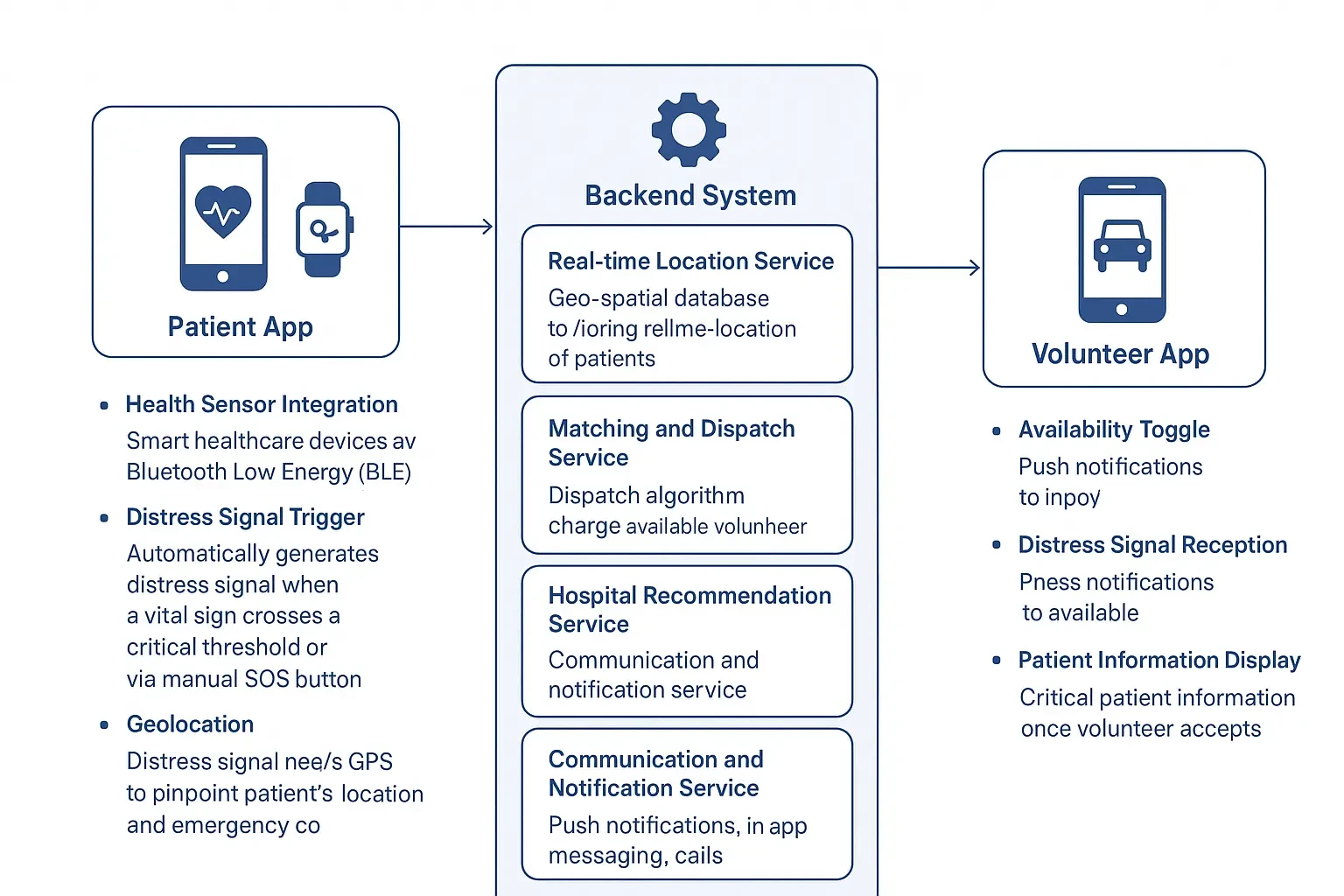
Technical Architecture Overview
The proposed app would require a sophisticated, real-time, and highly reliable technical architecture, consisting of three main parts: Patient App (and Integrated Health Devices), Volunteer App, and the Backend System.
1. Patient App (and Integrated Health Devices)
- Health Sensor Integration: Smart healthcare devices (like wearables with ECG) typically connect to a smartphone app via Bluetooth Low Energy (BLE).
- Distress Signal Trigger: When a vital sign crosses a critical threshold, the patient app automatically generates a distress signal. A manual SOS button would also be available.
- Geolocation: Uses the smartphone's GPS to pinpoint the patient's location.
2. Volunteer App
- Volunteer Registration & Verification: A robust onboarding process (background checks, consent for location tracking).
- Availability Toggle: Volunteers would need a clear "Available/Not Available" status.
- Distress Signal Reception: High-priority push notifications to the closest available volunteers.
- Real-time Navigation: Upon acceptance, turn-by-turn navigation to the patient and then to the suggested hospital.
3. Backend System (The Intelligence Hub)
- Real-time Location Service: Geo-Spatial Database for patient and volunteer locations.
- Matching and Dispatch Service: Core algorithm to identify closest available volunteers, calculate ETA, and dispatch alerts.
- Hospital Recommendation Service: Database of hospitals, specialties, and real-time capacity.
- Communication & Notification Service: Handles push notifications, in-app messaging, and SMS to emergency contacts.
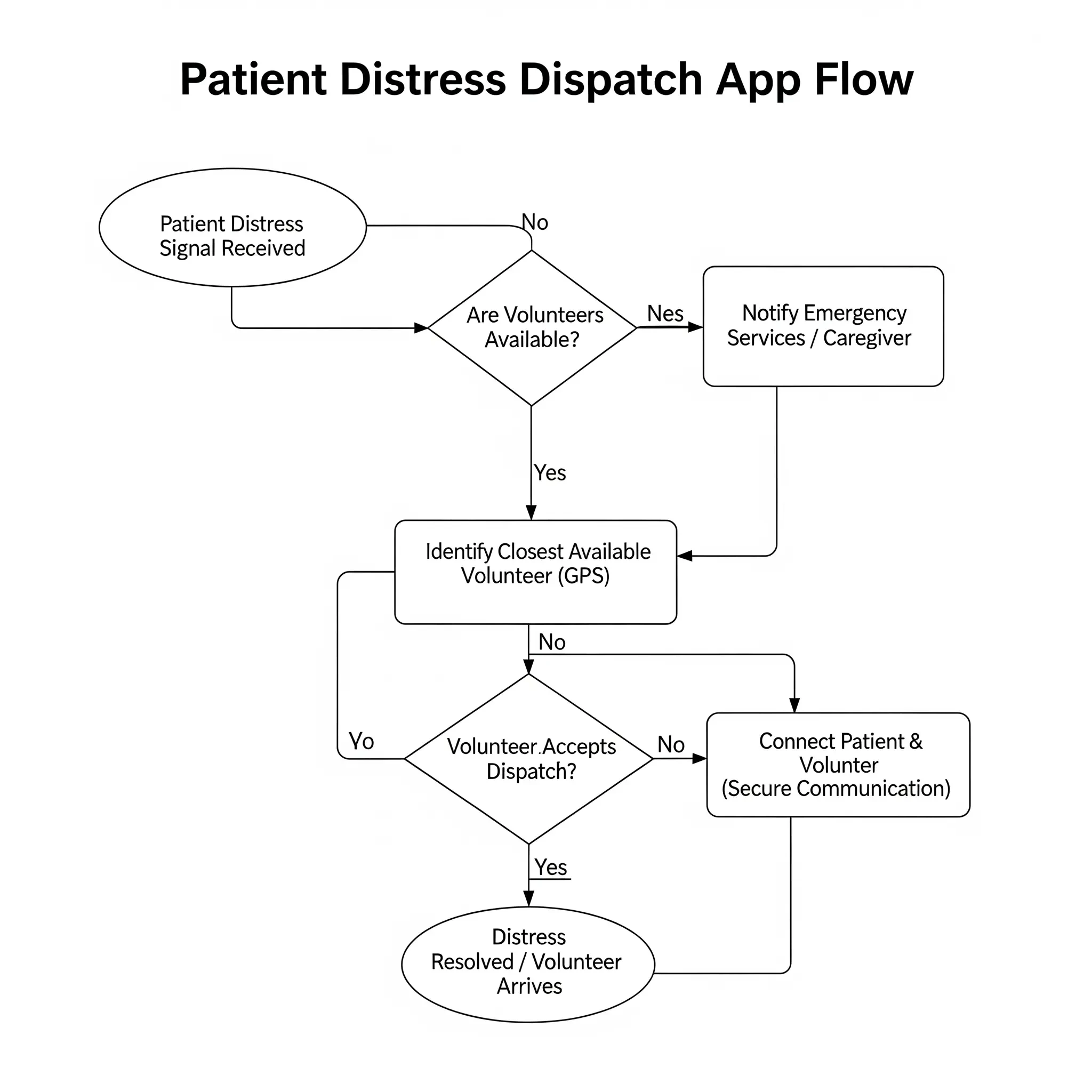
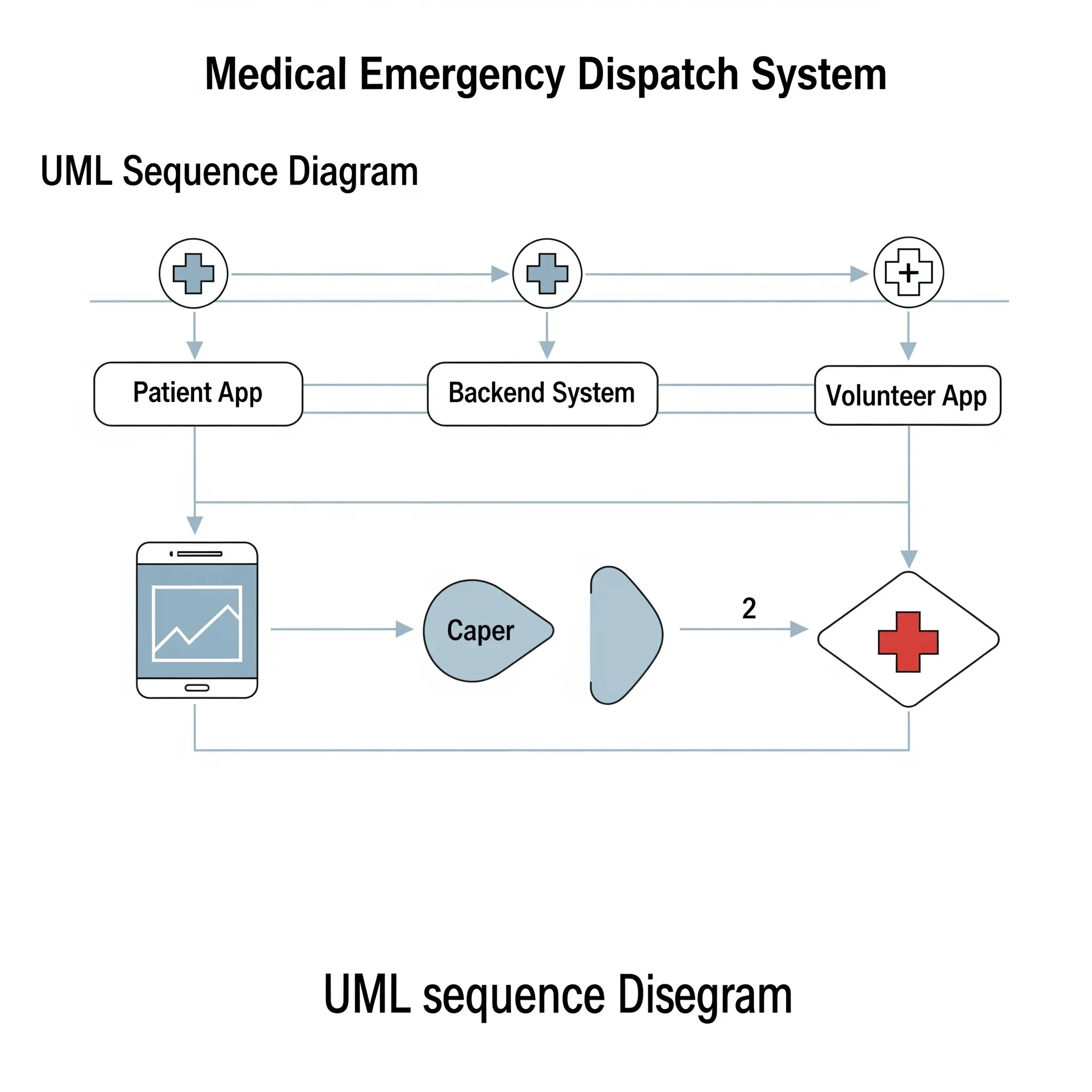
Simplified Core Logic: Finding the Closest Volunteer
The core logic of the app is finding the closest volunteer to a patient in distress. This simplified Python code demonstrates how the backend system would perform this crucial task. It uses basic math to calculate distance; a real-world app would use more sophisticated geospatial services.
import math

# --- 1. The Data: Representing Patient and Volunteer Locations ---

def get_patient_distress_signal():
    return {
        "patient_id": "P-456",
        "location": {"latitude": 40.7128, "longitude": -74.0060},
        "emergency_type": "Hypoglycemia"
    }

def get_available_volunteers():
    return [
        {"id": "V-001", "location": {"latitude": 40.7580, "longitude": -73.9855}, "status": "Online"},
        {"id": "V-002", "location": {"latitude": 40.7011, "longitude": -74.0157}, "status": "Online"},
        {"id": "V-004", "location": {"latitude": 40.7100, "longitude": -74.0200}, "status": "Offline"},
    ]

# --- 2. The Core Logic: Calculating Distance ---

def calculate_distance(loc1, loc2):
    # Simplified Euclidean distance. A real app would use Haversine formula.
    lat1, lon1 = loc1['latitude'], loc1['longitude']
    lat2, lon2 = loc2['latitude'], loc2['longitude']
    return math.sqrt((lat2 - lat1)**2 + (lon2 - lon1)**2)

# --- 3. The Main Function: Finding the Closest Volunteer ---

def find_closest_volunteer(patient_signal, volunteers):
    patient_location = patient_signal["location"]
    closest_volunteer = None
    min_distance = float('inf')

    for v in volunteers:
        if v["status"] == "Online":
            distance = calculate_distance(patient_location, v["location"])
            if distance < min_distance:
                min_distance = distance
                closest_volunteer = v

    return closest_volunteer, min_distance

# --- 4. Putting It All Together: The Main App Flow ---

if __name__ == "__main__":
    patient_signal = get_patient_distress_signal()
    all_volunteers = get_available_volunteers()

    closest_hero, distance = find_closest_volunteer(patient_signal, all_volunteers)

    if closest_hero:
        print(f"--- Dispatch Result ---")
        print(f"Patient ID {patient_signal['patient_id']} needs help.")
        print(f"Dispatching Volunteer {closest_hero['id']}...")
        print(f"Distance to patient: {distance:.4f} degrees.")
    else:
        print("\nNo available volunteers found in the area.")